Installation Instructions for SadadQAR WordPress Extention
- Login your WordPress admin and navigate to Plugins->Add New
- Find the Sadad QA Payment plugin and activate the module.
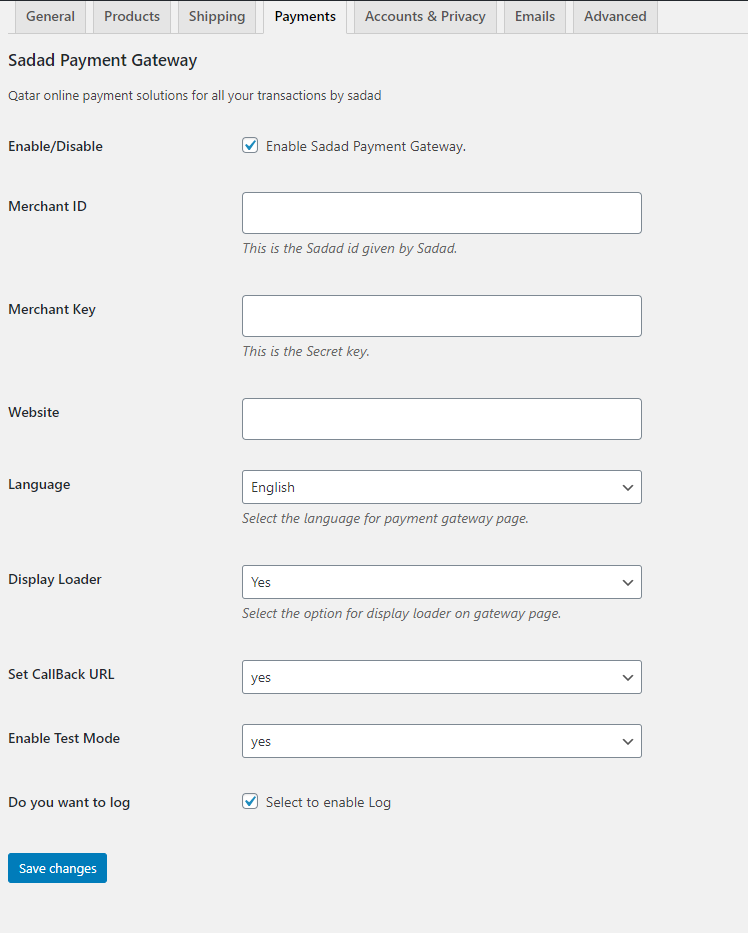
- After the successful activation of module, Visit the WooCommerce => settings page, and click on the Payments tab.
- Click On Checkout and display "Pay With Sadad" payment gateway.
- Enable the Payment Method, and Set all details and Click Save.(See below screenshot)
Now you can see pay with Sadad payment option on checkout page.