Shopify – SADAD Payment Gateway Integration
Step 1: Executive Overview
Overview of installing and integrating the SADAD Payment Gateway within Shopify. The document covers installation workflows, environment configuration, payment lifecycle architecture, order status mapping, refund rules, error handling matrices, and enterprise monitoring capabilities.
Step 2: Merchant Installation Workflow
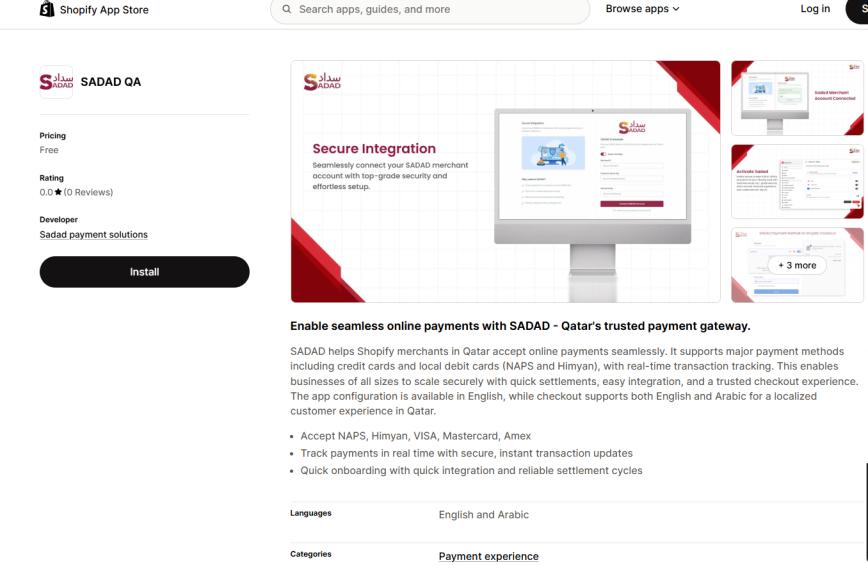
- Navigate to Shopify App Store: https://apps.shopify.com/sadad-qa
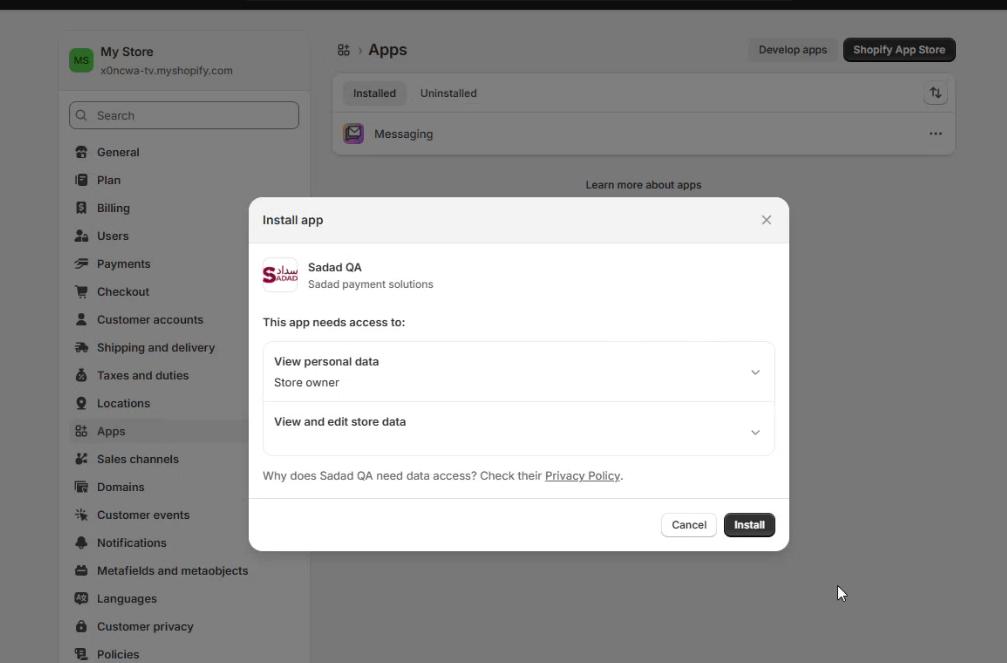
- Click Install App via Shopify Admin.
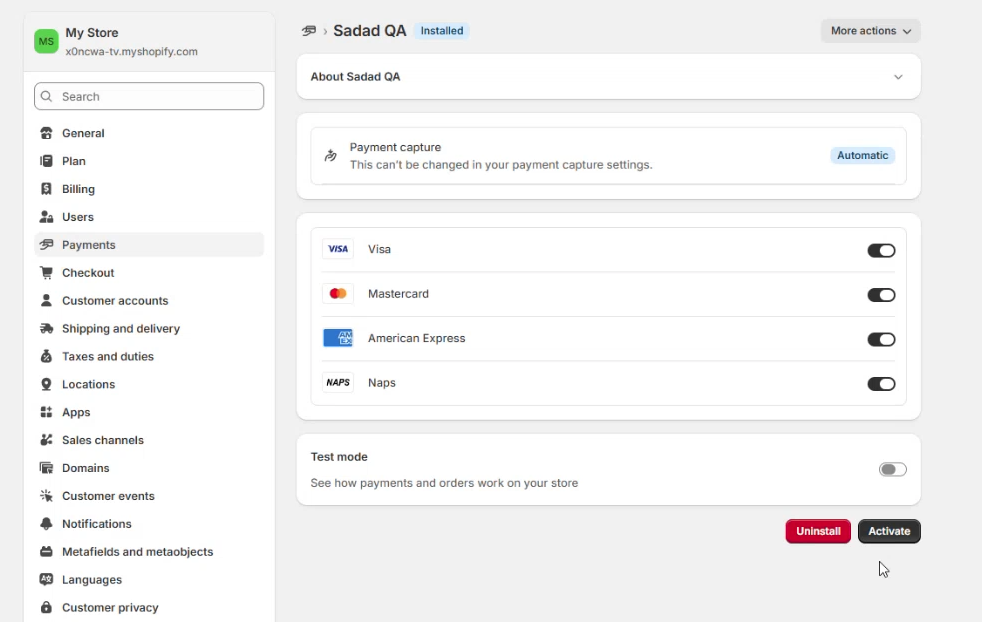
- You will be redirected to Payment method activation page where you will be prompted to activate it.
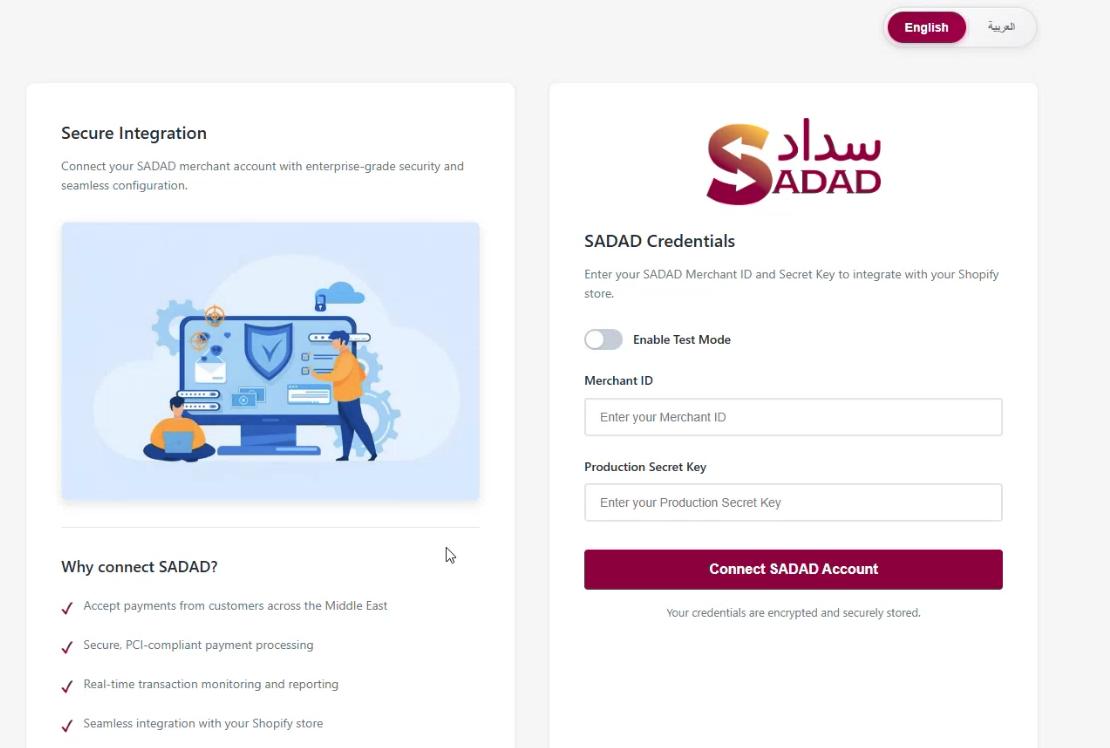
- System redirects automatically to the Integration setup page.
Step 3: Integration Configuration
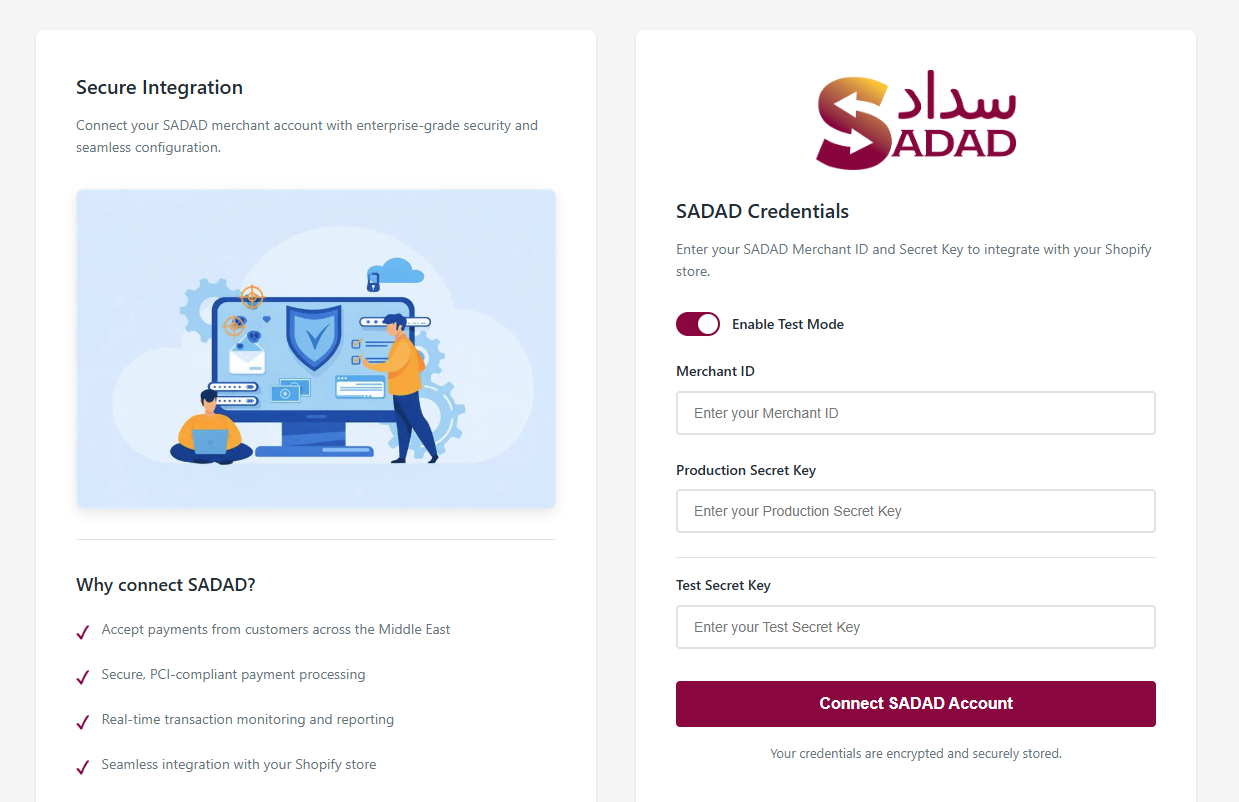
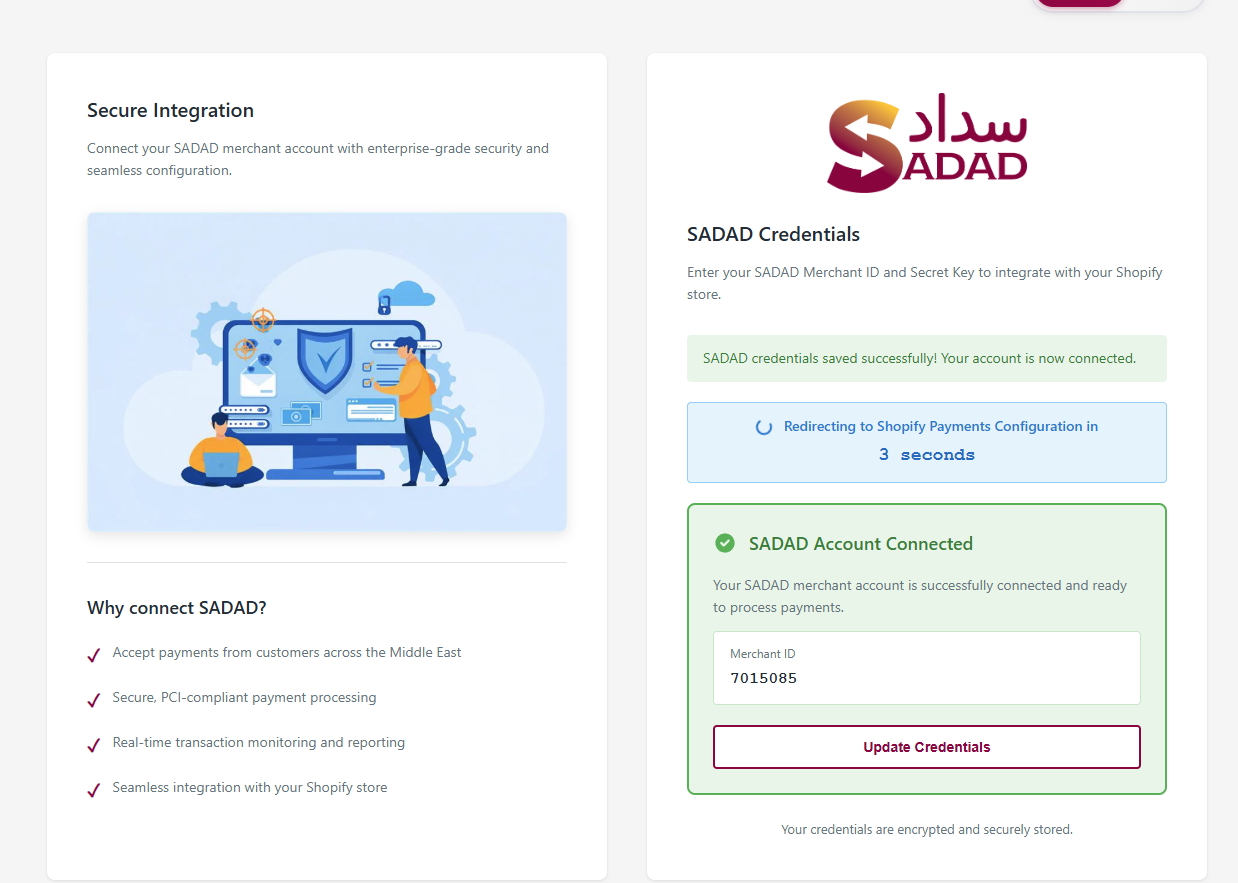
- Enter the Merchant ID and Secret Key provided by SADAD.
- Select the desired environment: Sandbox (Testing) or Live (Production).
- Only one environment can be active at a time.
- Merchants may update their credentials at any time as required.
- Prerequisite: The Shopify checkout domain must be whitelisted in your merchant panel under both the test and live key domain settings: {Sadad Merchant ID}.spaycheckout.sadad.qa
Step 4: Payment Flow from customer
Customer → Shopify Checkout → SADAD Payment Gateway → Bank Authorization → SADAD Response → Shopify Order Creation → Merchant Dashboard Update
Step 5: Payment Lifecycle Mapping
| Step | Actor | Action | Result |
|---|---|---|---|
| 1 | Customer | Select Product & Checkout | Checkout initiated |
| 2 | Shopify | Redirect to SADAD | Payment session created |
| 3 | Customer | Enter Card Details | Authorization request |
| 4 | Bank | Authorize / Reject | Response sent |
| 5 | SADAD | Return status to Shopify | Order update |
| 6 | Shopify | Create Order (Success) | Transaction recorded |
Step 6: Order Status Mapping
| Scenario | Shopify Status | SADAD Status | Customer Experience |
|---|---|---|---|
| Successful Payment | Paid | Success | Order Confirmed |
| Card Failure | Not Completed | Failed | Retry Payment |
| User Cancelled | Incomplete | Failed | Checkout Cancelled |
| Server Error (Amount Deducted) | Order Not Created | Auto Refund | Refunded Automatically |
| Refund Initiated | Refunded | Refunded | Refund Notification |
Step 7: Refund Rules
- Full and partial refunds supported
- Refund value cannot exceed original order amount.
- Once fully refunded, additional refunds are blocked.
- Refund status synchronized across Shopify and SADAD systems.
Step 8: Error Handling Matrix
| Error Type | Example Scenario | System Handling |
|---|---|---|
| Card Error | Insufficient funds / expired card | Transaction marked failed |
| User Abandonment | User leaves payment page | Status updated as failed |
| API Timeout | Server response delay | Retry or mark pending |
| Server Failure | Payment deducted but no order | Auto refund within ~30 minutes |