Login to admin of your Prestashop and go to Modules >> Module Manager.
Click on Upload module and upload sadadqa.zip. When installed click on Configure.
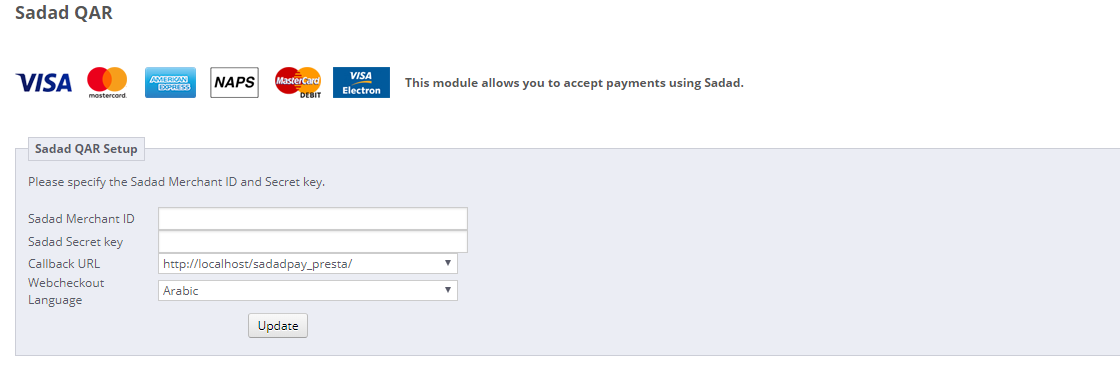
When you click configure it will open settings page and enter your settings there and make sure you set status as Enabled and the Callback URL should be according to your secret key set. (i.e. if your Secret key for domain is set with www, you should select callback URL with www and if non-www, you should select non-www one). Finally click on Update.
On frontend on checkout page, you will see Pay with credit/debit card (Sadad).
For changing settings go to Modules >> Module Manager and scroll down and find Sadad QAR and click on Configure button infront of it. It will open settings page like above screenshot.