Steps to install and use Sadad QAR extension on Joomla Virtuemart
Prerequisites: This extension is only for Joomla Virtuemart. In order to make this extension work, Virtuemart must be installed and the currency must be set to QAR.
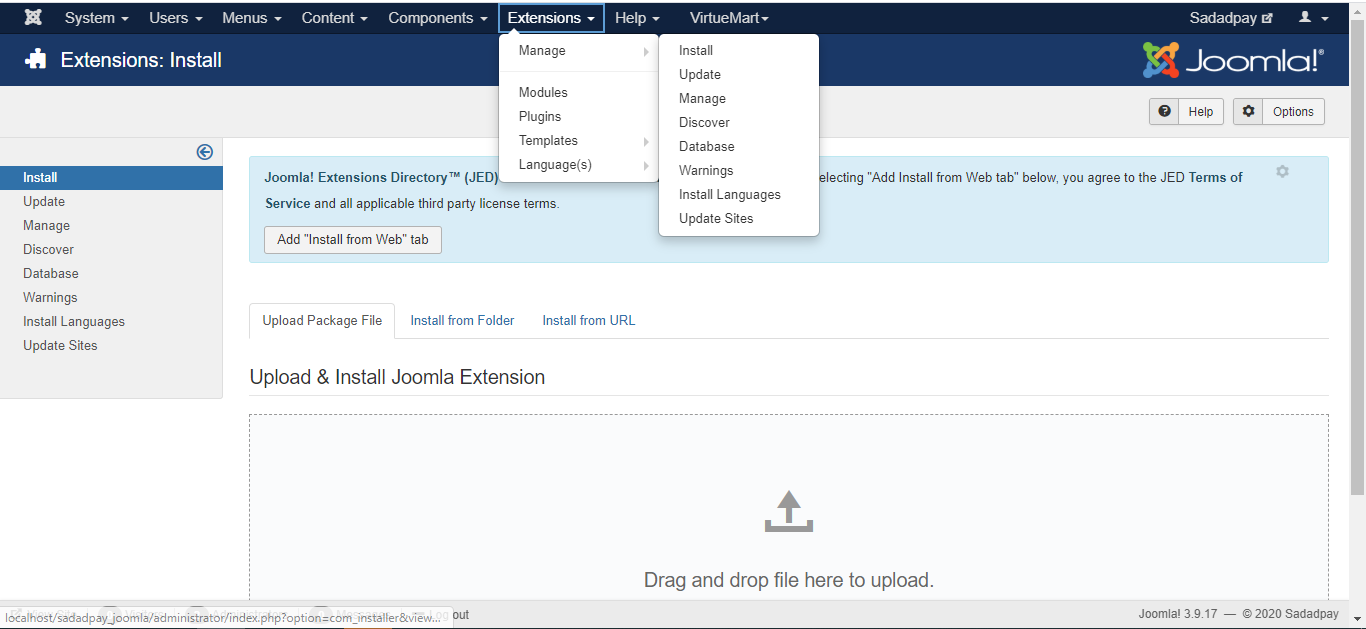
- Login to admin and go to Extensions >> Manage >> Install from top menu.
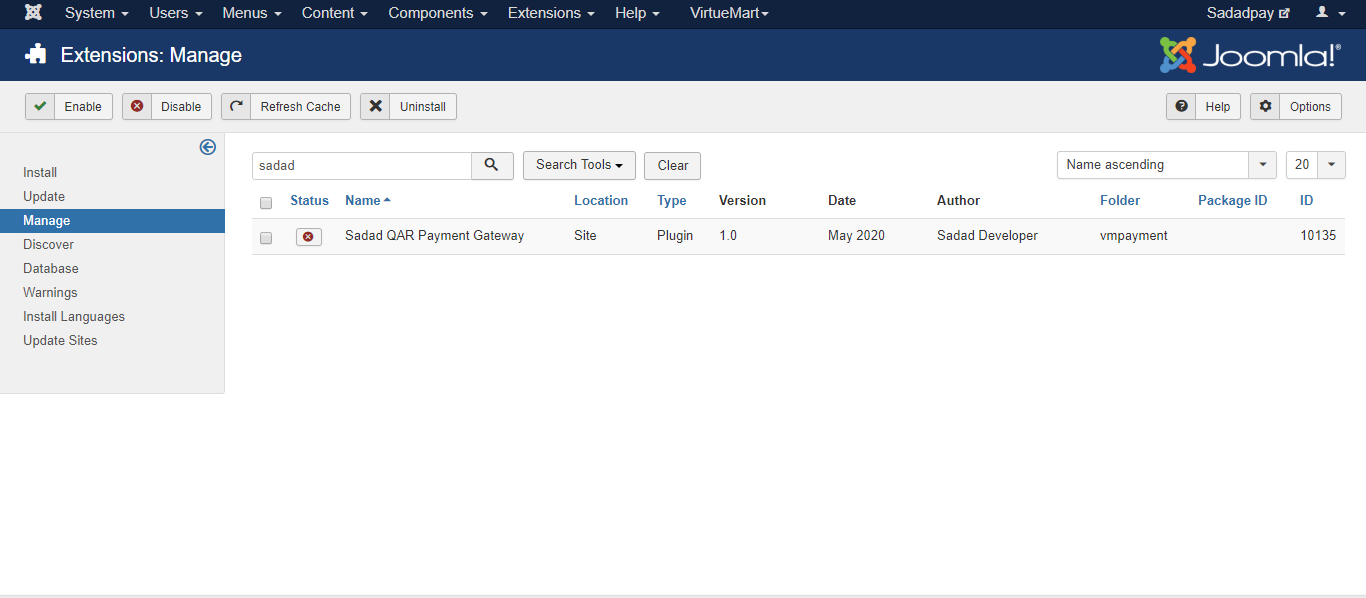
- Upload sadadqa.zip file and then go to Extensions >> Manage >> Manage from top menu. In search bar type sadad and results like image below should appear:
- Check the box infront of Sadad QAR Payment Gateway and click Enable from top left. It will enable extension.
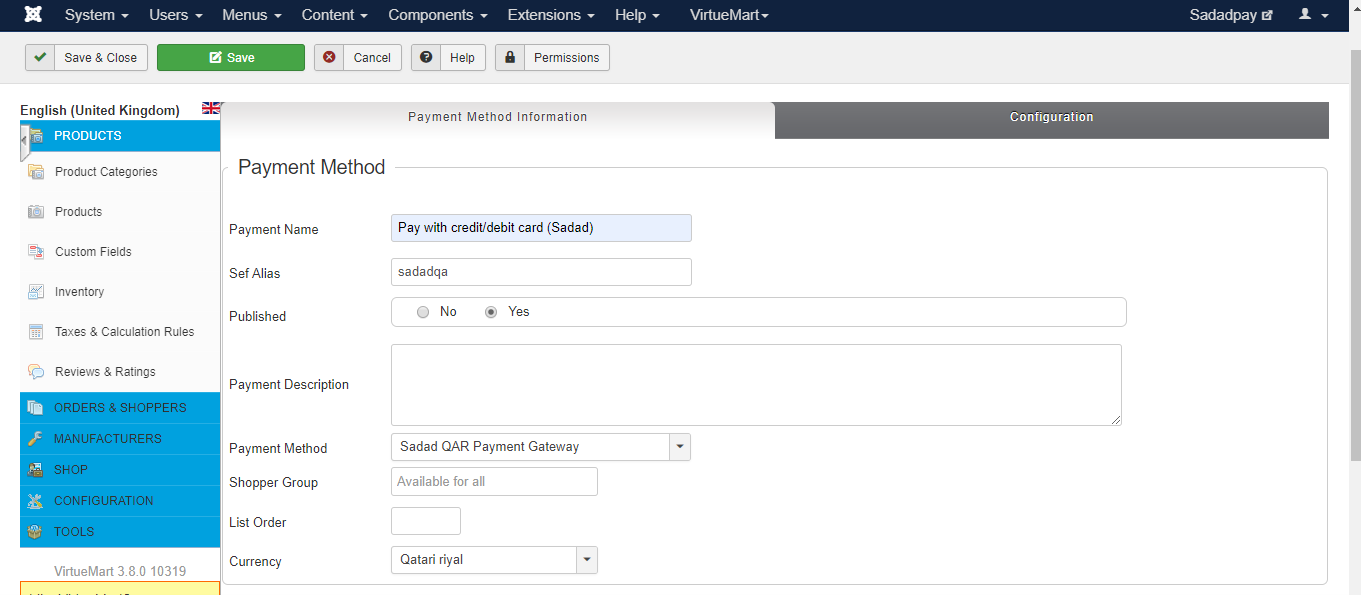
- Now from top menu bar go to Virtuemart >> Payment methods. Click on New button from top.
- In Payment method information tab you should select Payment method value as "Sadad QAR Payment Gateway" in dropdown. Other values except currency can be set to anything as per your choice. The value Published should be set to Yes. Set Alias should be "sadadqa" (without quotes)
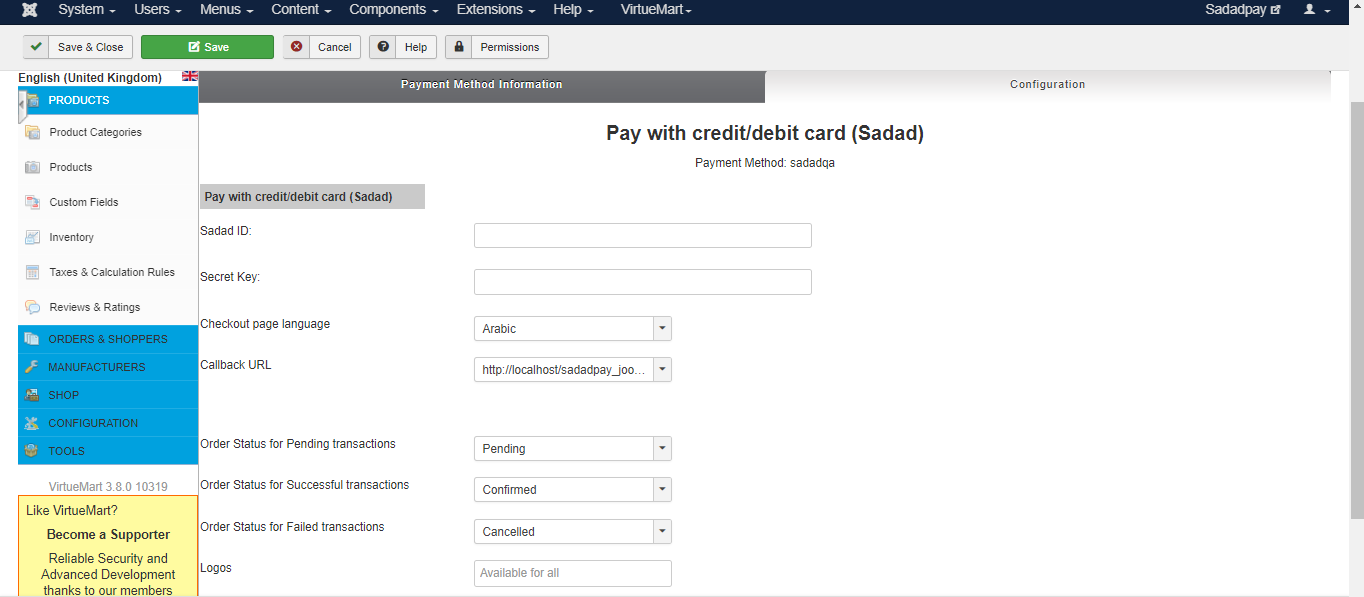
- Click on Save from top and then click on Configuration tab. Enter your settings there and make sure Callback URL should be according to your secret key set. (i.e. if your Secret key for domain is set with www, you should select callback URL with www and if non-www, you should select non-www one). Keep Order statuses as they are if you’re not planning to customize the extension. Click on Save button from top left and on frontend on checkout page you will see this payment method name (which you set in step 5.)